Thermal Camera
Powered by AI
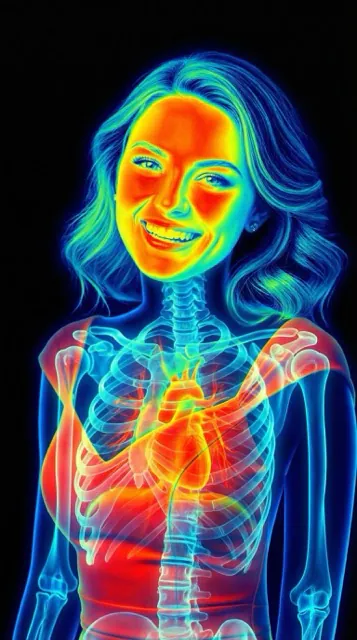
Transform any photo into a vibrant thermal vision render. Heatmap gradients from deep blues to intense reds — generated with AI in seconds, no hardware needed.


What Is a Thermal Camera Effect?
A thermal camera visualizes infrared radiation as a false-color heatmap — warmer areas appear in bright yellows and reds, cooler areas in deep blues and purples. Real thermal imaging devices cost hundreds of dollars and need specialized hardware.
X-Ray Camera's thermal filter uses AI to generate the same vibrant thermal aesthetic from any regular photo. The result is a high-contrast, scientific-looking render perfect for social media, creative projects, or just curiosity.
How the Thermal Filter Works
1. Pick a Photo
Take a new photo or choose one from your library — portraits, objects, or scenes all work.
2. Select Thermal Style
Tap the thermal style — our AI applies the heatmap gradient in about 10 seconds.
3. Save & Share
Save to your camera roll or share straight to Instagram, TikTok, or messages.
Other X-Ray Styles
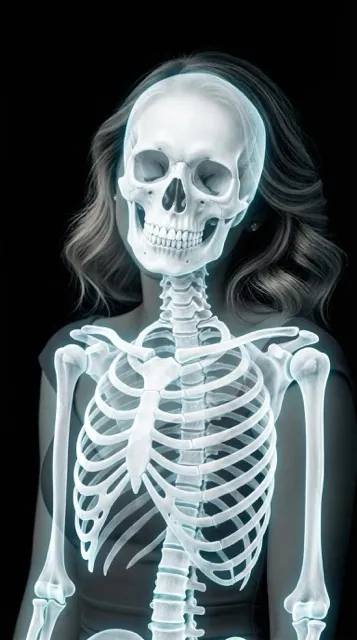
Thermal is one of three styles — try night vision or skeleton mode too.

Frequently Asked
What is a thermal camera effect?
A thermal camera effect renders an image with a heatmap color gradient — deep blues for cooler areas, bright yellows and reds for warmer areas — simulating how real infrared thermal imaging devices visualize temperature.
Is X-Ray Camera a real thermal camera?
No. X-Ray Camera uses AI to generate a realistic thermal-style render from your existing photo. It does not measure actual temperature — it's a visual effect, not a scientific instrument.
Can I use the thermal camera filter for free?
Yes, X-Ray Camera is free to download on iOS and Android, with thermal, night vision, and skeleton styles included.
What photos work best with the thermal filter?
Portraits, pets, and scenes with clear subjects work best. Higher-resolution photos with good lighting produce the most vibrant heatmap gradients.
Try the Thermal Camera Free
Download X-Ray Camera and transform your first photo into a thermal render — free, no account needed.